Monetize Your Archive Footage

Newsflare has established commercial partnerships with leading AI brokers and global Big Tech firms to provide the massive datasets required for AI video training. This opens a significant new revenue stream for Newsflare filmers.
The demand is for high-volume, high-quality data. AI companies prioritize footage shot with a steady hand in at least HD resolution. They require a mix of both landscape and portrait orientations to train across different platforms. Most importantly, they need 'real-world diversity', think authentic human interactions, varying weather patterns, and expansive landscapes etc to help machine learning models accurately interpret the world around us.
What we’re looking for
5+ hours of footage (the more the better)
1080p+ resolution
Raw or lightly edited content (ideally no text or logos)
Real-world environments (especially human interactions and emotions)
Footage that is steady, not too much camera movement
No troublesome IP - such as music, logos, celebrities
What we offer
50:50 revenue share on AI licensing
Secure, hassle-free bulk uploads
You retain full ownership rights to your video
How to upload
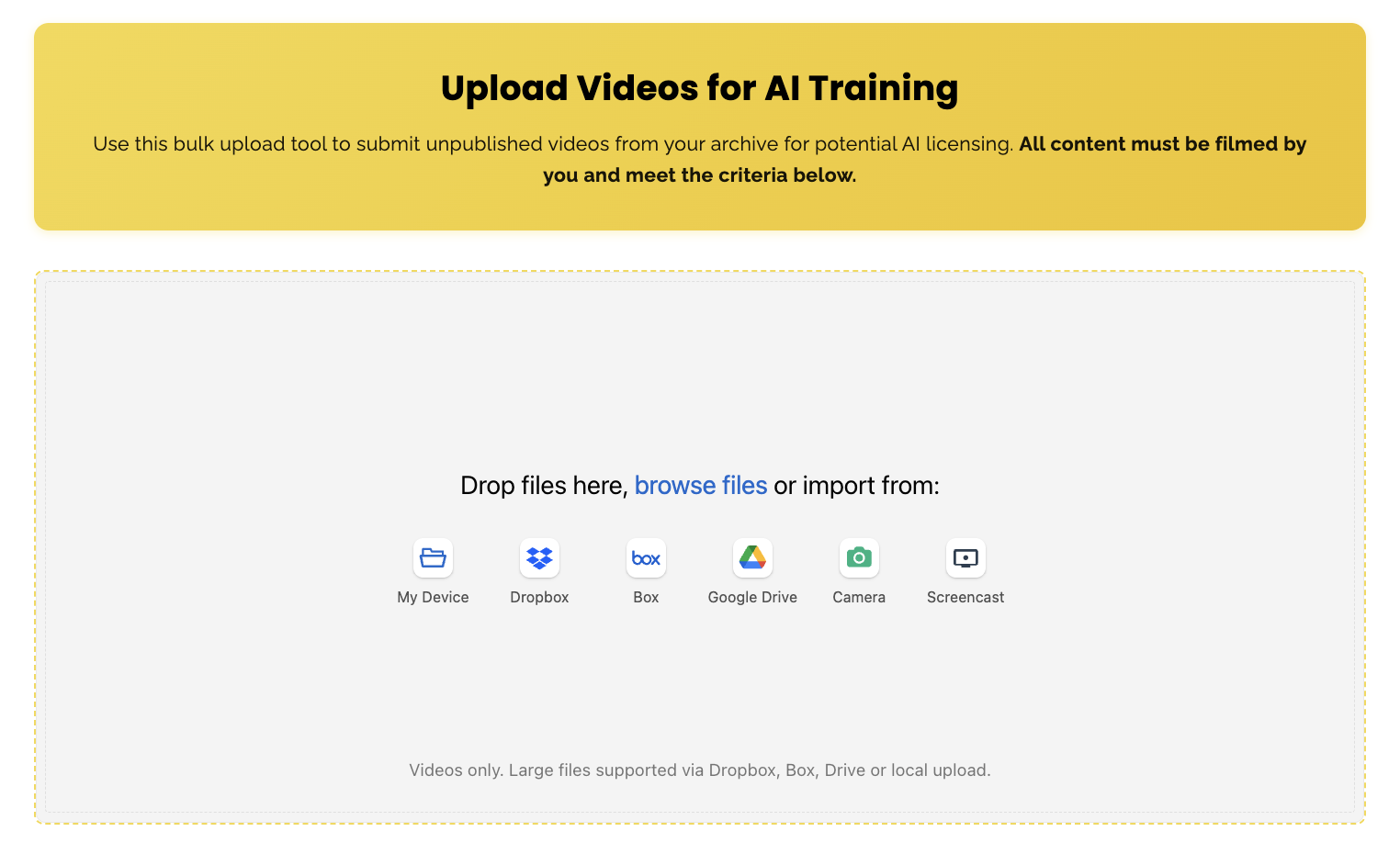
To facilitate this new program we have developed a custom upload feature which allows you to bulk upload your content. To access this select the three bars and select ‘AI Multi Upload’ as shown below.
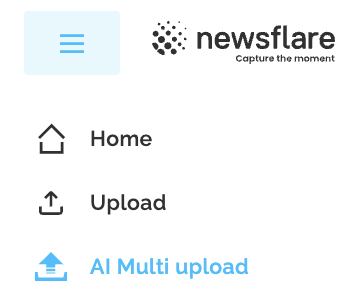
On the AI Multi Upload page, you can upload files directly from your local device or import them from cloud services like Google Drive, Dropbox, and Box.
Track Progress
View the number of videos and total hours of footage at the bottom of the Multi Upload page. AI training demands thousands of hours of content, upload your full archive today to increase your earnings, with rates typically ranging from $10–$50 per hour used. The number of hours may not update right away as our system takes a little time to process it.

View Upload History
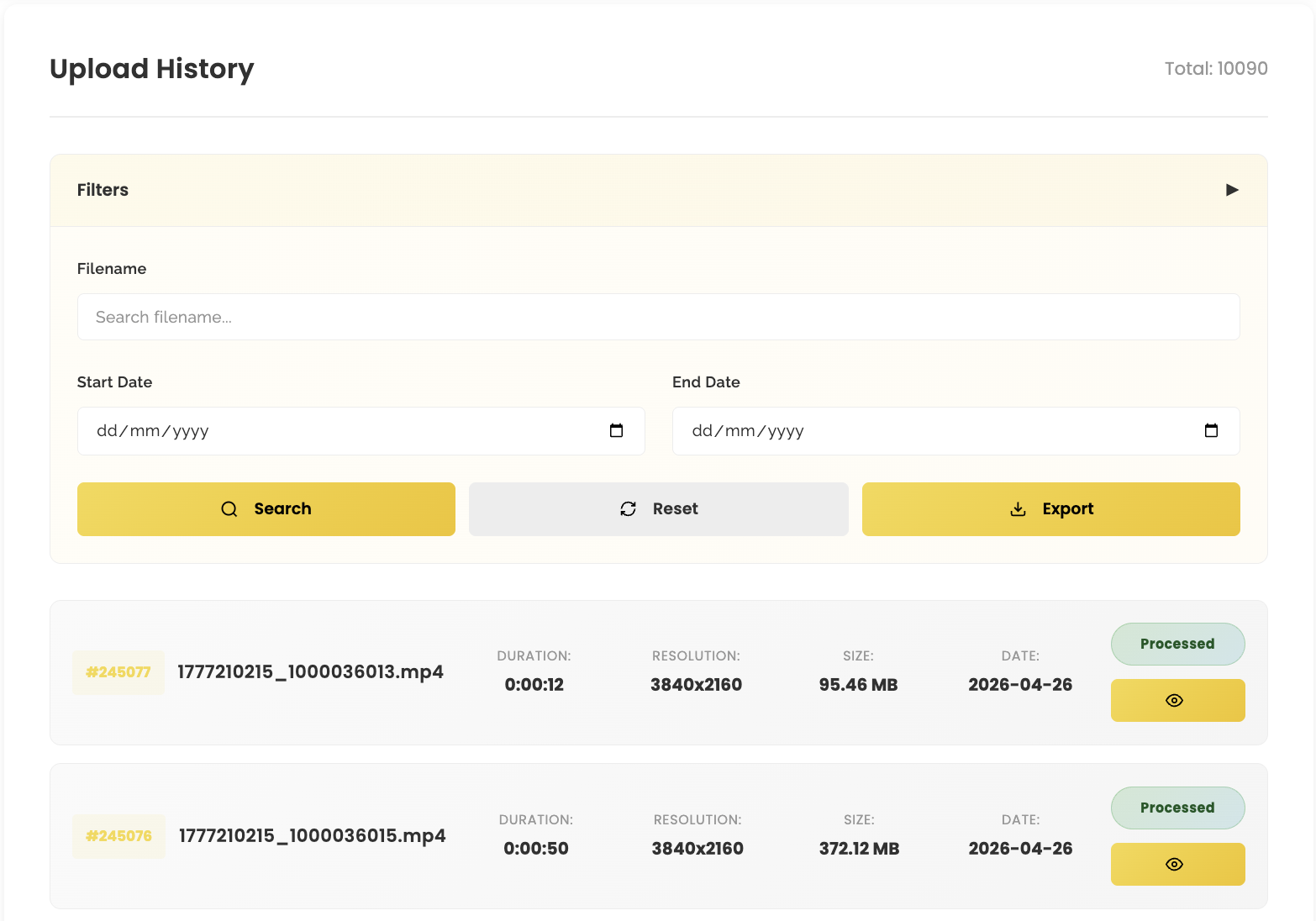
You will also be able to keep track of your current uploads as shown below. We have implemented various filters and the ability to export all uploads as a CSV file.
As you upload, videos will show as “processing”, once our system has finished ingesting the video it will show as “processed”.
If you don’t see this option on your account, please reach out to contact@newsflare.com and we’ll enable it for you.
For now you won’t be able to access this feature via the app, however we are actively working on a solution for that, so stay tuned.
FAQ
-
Once uploaded, your content is housed in a dedicated, secure storage environment. Here, we utilize advanced processing tools to enrich the metadata and optimize the footage, ensuring it meets the rigorous technical standards required by global AI companies.
-
No, this content won’t be visible on our platform.
-
We are looking for the maximum volume of content you can provide. AI companies require tens of thousands of hours of footage to train their models, meaning there is virtually no limit to the opportunity. The larger your archive, the greater your earning potential.
-
Typically, AI training footage earns between $10 and $50 per hour. Please note that exact rates vary by deal, depending on the specific requirements of the AI company involved.
-
No. Your content can be licensed repeatedly across different AI training sets. For example, if you upload 500 hours of footage, you could receive multiple payments as your archive is included in various deals with different tech companies.
-
Payments are processed on a one-month cycle. Following receipt of funds from the AI company, your portion will be finalized and sent to you within 30 days.
-
Absolutely not. Newsflare covers all storage costs associated with your footage. You can upload as much content as you like without worrying about hosting fees or maintenance overhead, we handle the infrastructure so you can focus on the earnings.
-
Once you upload your footage to Newsflare, we take care of the heavy lifting. We process everything, add the metadata the AI clients need, and then distribute your videos to the companies we have licensing deals with.
Those clients then come back to us with usage reports. They tell us:
how many total hours of footage they used
how many of those hours came from your videos
and the rate they’re paying per hour
Every video you upload has a unique ID tied to your account, so we can track exactly how many hours of your content were used. When the usage reports come in, we calculate your share based on the hours attributed to you.
For example, if a client pays $40/hour and they used 400 hours of your footage, your 50% share would be:
400 × $40 × 0.5 = $8,000
That’s just an example to show how the model works.
-
No, your content won’t be posted publicly. They are used for internal training only.
-
No, we will process that internally with in-house tools. All you need to do is supply the raw footage using our bulk upload tool.
-
Licensing periods vary by deal. Some agreements run for one to five years, while others grant usage in perpetuity. The length of the licence typically influences the price charged per hour of footage.
-
We ask that your footage be exclusive to Newsflare only for AI licensing.
-
Yes — you always retain full copyright ownership of your content. By joining the program, you’re simply allowing Newsflare to license your footage to AI companies on your behalf.
-
Absolutely not. Nothing you upload is ever published or made visible to the public. When your videos are licensed to AI companies, they’re used in controlled, offline training environments—not in any way that competes with or replaces your published content.
This program is designed for your raw, unedited footage. For example, if you’ve created a long‑form video for your channel, it’s more valuable to upload the original clips rather than the final edited version. Final edits are fine to use however the must have no logos, watermarks, subtitles etc only the raw clean edit.
Participating won’t impact the visibility, monetisation, or performance of any videos already live on your channel.
-
Absolutely, once your content is uploaded, the footage must remain for 90 days. After that you can email in and request your footage to be deleted which takes 30 days.
Please note we do not accept AI generated content. The content must also be filmed by you.